
Analysing your research evidence
What analysis means for AS91890 / AS91900
Analysis is the step where you turn the research and data you gathered into evidence that answers your inquiry questions. In practice this means organising raw material, running simple calculations and visualisations, picking out key statistics or themes, and deciding which information actually helps answer your inquiry.
Step 1: Prepare and clean your data
Start by preparing a clean working copy of your evidence so you can analyse it consistently.
- Export survey responses as CSV from Google Forms or copy them into Google Sheets.
- Standardise answers so spellings, categories, and date formats are consistent.
- Mark missing data clearly and decide how to handle incomplete rows.
- Keep a raw copy of the original responses so you can always return to them.
Step 2: Number-crunching and basic statistics
For AS91890 / AS91900 you do not need advanced maths; use simple statistics that clarify patterns:
- Counts and percentages for each option.
- Measures of centre such as mean or median for rating scales.
- Spread measures like range or standard deviation.
- Comparisons between subgroups using side-by-side percentages or means.
Step 3: Visualise the results
Charts make findings easy to read for assessors and keep your report clear:
- Bar charts for categorical counts.
- Pie charts used sparingly for parts of a whole.
- Line charts for trends over time.
- Box plots or histograms for distributions
, which are more advanced but helpful .
How to do this in Google Forms + Google Sheets
You can complete the full workflow with the built-in tools.
- Open your Google Form and use Responses to create a Sheets spreadsheet.
- In Google Sheets, use Insert → Chart to make bar, column, or line charts quickly.
- Use formulas such as
=COUNTIF(),=COUNTA(),=AVERAGE(),=MEDIAN(), and=STDEV.P()for basic stats. - Create Pivot Tables (Data → Pivot table) for subgroup comparisons.
- Export figures as PNG for your report.
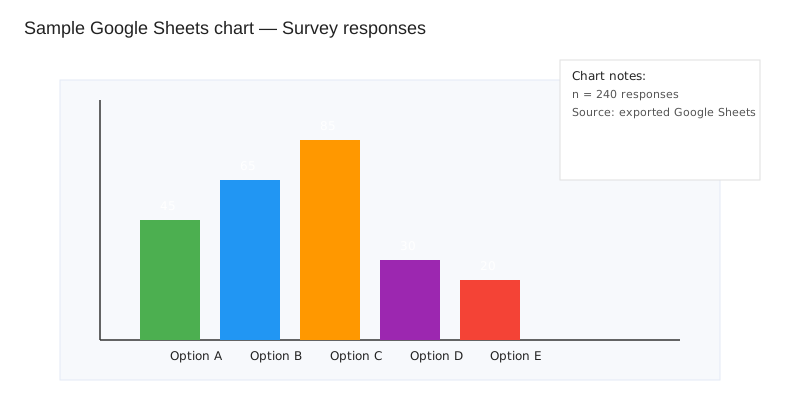
Useful guides are available if you want step-by-step help:
- Google Forms: View and manage responses
- Google Sheets: Create and edit charts
- Google Sheets: Create and use pivot tables
- Khan Academy: Statistics and probability (intro)
Deciding what data is relevant
Not every number or quote will help answer your inquiry, so use a quick checklist to decide what to keep:
- Direct link to an inquiry question.
- Reliability of the method and sample.
- Recency and fit to your local context.
- Triangulation across surveys, literature, or expert opinion.
- Significance of the effect for your conclusion.
When to discard or ignore data
Some data should be excluded or treated as background only:
- Single, unverifiable anecdotes
unless used as illustrative quotes with consent . - Invalid or spam submissions removed after documenting why.
- Very small subgroups where percentages mislead.
- Data outside the scope of your inquiry question.
Practical tips for write-up
Make your report easy to read and directly tied to your inquiry questions:
- Show how each finding links to a specific question.
- Use clear labels with titles, sources, and sample sizes.
- Quote sparingly and anonymise comments.
- State limitations such as sample size, bias, or missing data.
Further reading and tools
These resources are useful for refreshing tools and concepts:
- Google Forms help — exporting and managing responses.
- Google Sheets charts — charts, formulas, and layout tips.
- Pivot tables in Sheets — summarise and compare groups quickly.
- Intro stats — mean, median, and spread basics.