
Introduction to programming
Learning intentions
Introduction to programming

Programming is a fundamental part of software engineering, which is a field of engineering relating to designing, writing, and testing software
As part of this course, you will take your first steps to becoming a software engineer!
Before we start learning about programming, let’s get familiar with the standard against which you will be assessed
AS92004: Create a computer program
Students are able to create a computer program
Create a computer program
- using a suitable programming language to construct a program that performs a specified task
- testing and debugging the programming to ensure it works on expected cases
- documenting the program with comments
Create a well-structured computer program
- using succinct and descriptive variable names
- documenting the program with comments that clarify the purpose of code sections
- testing and debugging the program to ensure it works on expected and boundary cases
Create a flexible and robust computer program
- using conditions and control structures effectively
- using constants, variables, or derived values in place of literals to make the program flexible
- testing and debugging the program to ensure it works on expected, boundary, and invalid cases
What is programming?
Programming is the process of giving instructions to a computer so that it can perform tasks

When we perform programming, we are writing down the steps we want the computer to take
Therefore, we need to start from the most basic steps, such as putting text on the screen, before we can create a fully-fledged program
Programming languages
In this unit, you will learn how to create a program completely using programming code. To do this, you have a choice of THREE (3) programming languages. Take a look at each one:
Swift is a free and open source language that is mainly used for Apple development such as for writing Mac, iPhone, and iPad apps.
Swift is the recommended choice at Onslow College because it’s designed to prevent you from making a range of very common mistakes that other languages won’t warn you about. This can make writing more complex code, particularly at Level 2 and Level 3, easier to debug. This will help you prevent crashes.
On the other hand, it can’t (currently) be installed on the Windows computers located in Room 8 and Room 10. However, you can install it on your Windows laptop, Linux laptop, MacBook (using Xcode), or iPad (using Swift Playgrounds).
TypeScript is a programming language based on JavaScript. Although JavaScript is mostly used for developing websites, TypeScript can be used for websites, desktop applications, and others.
It has some of the benefits of Swift, such as making errors easier to detect, whilst also making it possible to tap into the world of web development. TypeScript code can be run as a script, like JavaScript is in browsers, or compiled into a computer program that runs even faster.
Python is a popular programming language for all sorts of use cases: scripts, games, data crunching, and is commonly taught in schools around Aotearoa.
Many schools teach Python and it’s a fairly common language amongst beginners, seasoned professionals, and data scientists. At Onslow College, we used to teach it but found that it doesn’t protect you from a lot of common errors, meaning you have to write a lot more code to ensure that your programs didn’t crash.
At the start of the unit, you will learn how to use all three languages. Later in the course, you will decide which one you prefer and stick to that.
But I already know a different language…
Don’t panic!
If you have already learnt another language, don’t panic. In the software development industry, nobody uses just one programming language. Learning more than one programming language isn’t hard; in fact, already knowing another one gives you a head start.
These languages should look familiar
Swift, TypeScript, and Python are called “C-like languages”, meaning that much of their syntax is similar to C. It’s more than likely that you already know a C-like language, such as C#, C++, Lua, Ruby, Rust, etc.
If you know any of those, you will find more similarities than differences!
Let’s write our first Swift code! (I)
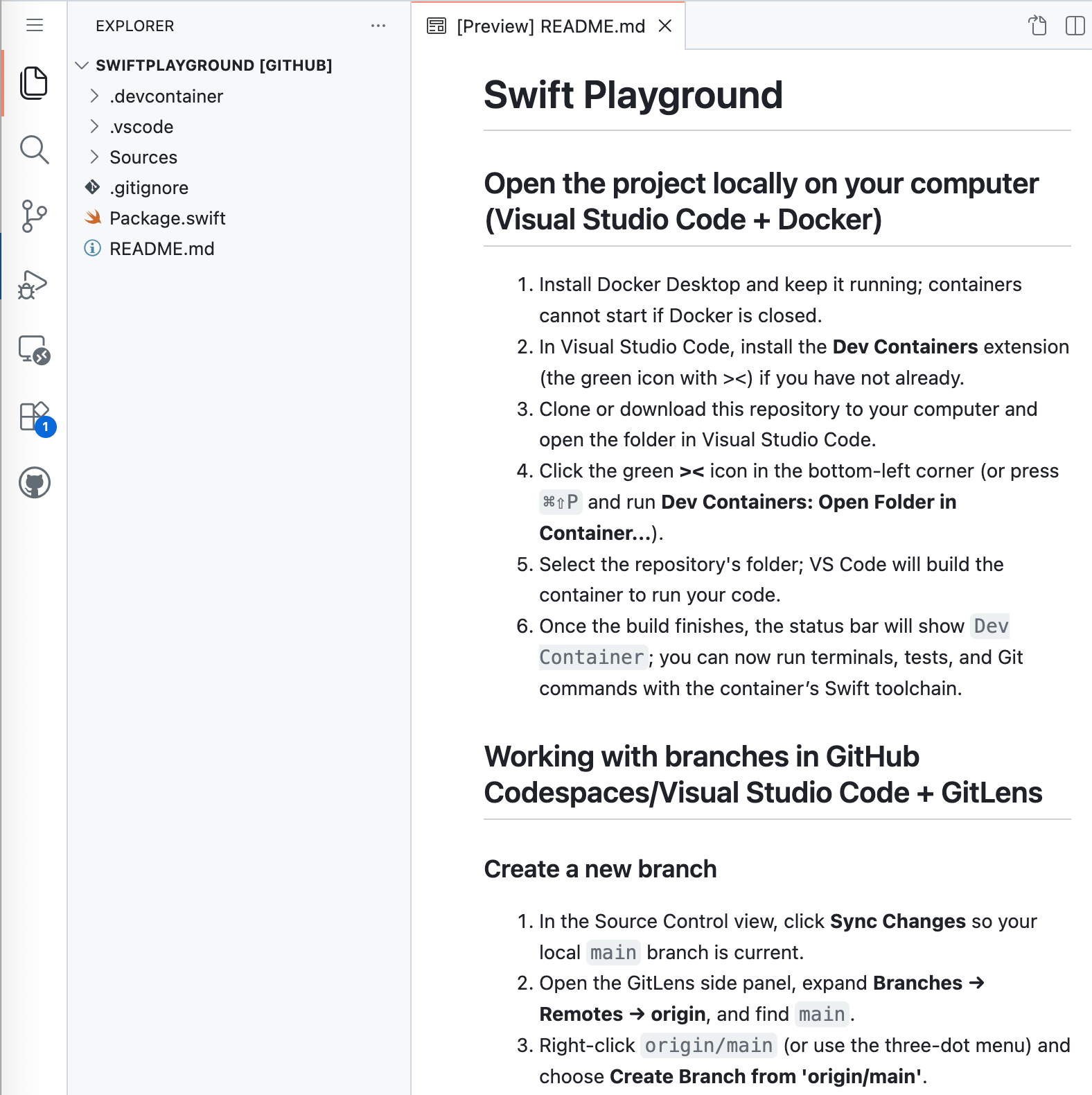
Let’s write our first Swift code (II)
What did we just do? (print())
- We used the print function, which is used to display information in the Terminal window
- The text that gets printed is called a
String. - This is how Swift can tell the difference between the word print used for the function and the words “Hello, world!” to be printed
- Strings are always wrapped with double quotation marks
print("Your message here.")Comments
Our code can rapidly become confusing, even after writing just a few lines. To help with this, it’s often beneficial to include notes or reminders for ourselves or other developers.
(When they start marking your work, your kaiako especially will appreciate this!)
Comments clarify the purpose of the code However, they are not run as part of the program.
Let’s write our first Swift code (III)
What did we just do?
- We wrote a comment to describe what our code is doing.
- Our code is very simple, so there wasn’t much to explain
- However, your later code will become much more complex, so keep a hold of this skill.
- Remember to use double slashes for comments.
// This is a comment.Committing and pushing code
Creating a new branch
A branch is a separate line of work where you can build new code without affecting code you’ve already finished writing.
- Use branches to keep your work organised for each lesson, task, or feature.
- This also makes it easier to review your progress and merge work later.
Task
Hints:
- You will need to print SEVEN (7) characters across for each line of text to output your first initial as a block letter. Use spaces for the empty areas
- You can print an empty line by writing
print()without a string in it - Repeat the previous step for the next letter(s)
- Add comments before printing the first letter and before printing the second, explaining what your code will do :::